
Unlock Nonprofit Potential with Microsoft 365 Copilot
In today’s fast-paced world, nonprofit organizations are constantly seeking ways to maximize their impact while facing limited resources. The pressure to do more with less is immense, leaving employees and volunteers stretched thin. Fortunately, the rise of Artificial Intelligence presents a powerful opportunity for these vital organizations. Microsoft 365 Copilot is emerging as a transformative tool, designed to streamline everyday tasks, foster innovation, and ultimately, empower nonprofits to achieve their missions more effectively.
This AI assistant integrates seamlessly into the familiar Microsoft 365 environment, acting as a partner to your team. It’s not about replacing human effort, but about augmenting it, freeing up valuable time and energy that can be redirected towards strategic thinking and mission-critical activities. Let’s explore how Copilot can revolutionize the way nonprofits operate.
Why Nonprofits Need AI Assistance Now
The demands on nonprofit staff are ever-increasing. The 2023 Work Trends Index highlights a critical challenge: 64% of employees are ready to embrace AI, yet many struggle with time and energy constraints. In fact, 70% are more likely to face difficulties with strategic thinking when bogged down by daily tasks. This is where AI, particularly Microsoft 365 Copilot, steps in.
The vision is clear: to lift the weight of routine work off professionals’ shoulders. Employees are willing to delegate administrative tasks, analytical work, and even creative brainstorming to AI. This willingness signifies a readiness to adopt responsible AI solutions that can enhance productivity and drive innovation. Copilot aims to facilitate exactly this, enabling nonprofits to operate with greater efficiency, agility, and higher quality outcomes.
Key Challenges Addressed by Copilot:
- Accelerated work pace leaving little time for strategic initiatives.
- Reduced time for creative and innovative work due to overwhelming tasks.
- Need for tools to support delegation and focus on core mission objectives.
- Desire for increased efficiency and effectiveness in daily operations.
Transformative Use Cases Across Departments
Microsoft 365 Copilot offers a suite of foundational capabilities that can be applied across various nonprofit functions. Imagine simplifying meeting follow-ups, quickly grasping complex email threads, or generating compelling content with ease. Copilot acts as your intelligent assistant, simplifying everyday tasks for employees and volunteers alike.
Foundational Copilot Capabilities:
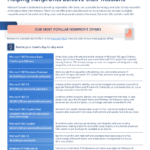
- Recap a meeting: Automatically capture key topics and action items, allowing participants to stay focused during discussions and avoid re-watching recordings. Copilot can even draft follow-up emails based on meeting notes.
- Summarize an email thread: Get up to speed quickly on long, complex email chains without reading every message. A simple click provides a concise summary.
- Draft email: Personalize communications with ease. Specify the recipient, key information, and desired tone, and Copilot generates a draft in seconds.
- Summarize a document: Extract essential information from lengthy documents. Ask Copilot to provide a bulleted list of key points from any file.
- Tell me about a topic/project: Gain rapid insights and analysis by querying Copilot about specific topics. It can pull information from emails, chats, and files to provide a comprehensive overview.
- Give me some ideas for…: Spark creativity by leveraging Copilot for brainstorming. Generate agendas, product names, social media posts, and more.
- Help me write…: Overcome writer’s block and enhance written communication. Get first drafts of various content types generated instantly.
- What did they say…: Quickly retrieve information mentioned in past conversations. Ask Copilot about specific topics or points raised by colleagues.
- Revise this content: Transform rough ideas into polished text. Copilot can rephrase, adjust length, and modify the tone of existing content.
These capabilities translate into tangible benefits, allowing staff to focus on higher-value activities. [LINK: Learn more about AI for social good] and how it can drive your organization’s mission forward.
Assessing Your Readiness and Business Value
Before diving headfirst into adoption, it’s crucial for nonprofits to conduct a gap assessment. Understanding your current technological landscape, employee digital literacy, and specific needs will pave the way for a smoother and more impactful implementation of Microsoft 365 Copilot. This assessment should also focus on identifying the potential business value and ROI.
Consider the time savings associated with automating repetitive tasks. Quantify the potential increase in proposal quality or grant application success rates due to improved writing and summarization. By mapping these potential benefits to your organization’s strategic goals, you can build a strong business case for adopting Copilot. [LINK: Explore AI adoption strategies] to ensure a successful rollout.
Key Questions for Gap Assessment:
- What are our current pain points regarding administrative workload and time constraints?
- How proficient are our staff and volunteers with existing Microsoft 365 tools?
- What are our key strategic objectives, and how can AI help us achieve them faster?
- What is the potential return on investment in terms of time saved, efficiency gained, and improved outcomes?
Navigating AI with Nonprofit Policy Guidelines
As nonprofits embrace the power of AI, establishing clear guidelines for its responsible use is paramount. This includes addressing data privacy, ethical considerations, and ensuring transparency in how AI tools like Copilot are utilized. Developing a robust AI policy helps build trust with stakeholders and safeguards the organization.
These guidelines should cover aspects such as data security, acceptable use, and the importance of human oversight. By proactively addressing these concerns, nonprofits can harness the benefits of AI while maintaining their commitment to ethical practices and mission integrity. [LINK: Understand AI ethics in nonprofits] to ensure responsible implementation.
“Employees are willing to embrace responsible AI in every aspect of their work, from administrative tasks to creative endeavors.” – Based on 2023 Work Trends Index
A Roadmap to Maximizing Copilot Benefits
Successful adoption of Microsoft 365 Copilot isn’t just about deployment; it’s about fostering a culture that embraces AI as a collaborative partner. A phased approach, starting with pilot groups and gradually expanding, can help identify best practices and address challenges early on. Continuous training and support are essential to ensure users feel confident and empowered.
Focus on celebrating early wins and sharing success stories across the organization. This will build momentum and encourage wider adoption. By following a clear benefit roadmap, nonprofits can systematically unlock the full potential of Copilot, transforming their operations and amplifying their impact on the communities they serve. [LINK: Start your Copilot journey today] and empower your team!
Key Takeaways:
- Microsoft 365 Copilot offers significant time-saving and efficiency benefits for nonprofits.
- Its foundational use cases address common administrative and creative challenges.
- A thorough gap assessment and clear business value proposition are crucial for successful adoption.
- Establishing responsible AI policy guidelines is essential for ethical implementation.
- A phased adoption roadmap with continuous training ensures maximum benefit realization.
Ready to empower your nonprofit with the future of work? Explore how Microsoft 365 Copilot can help your organization achieve more. [LINK: Contact us to learn more about Microsoft 365 Copilot for Nonprofits] and begin your transformation!
Frequently Asked Questions
What is Microsoft 365 Copilot?
Microsoft 365 Copilot is an AI-powered assistant that integrates with Microsoft 365 applications (like Word, Excel, PowerPoint, Outlook, and Teams) to help users be more productive. It can summarize documents, draft emails, generate ideas, recap meetings, and much more, acting as an intelligent partner for everyday tasks.
How can Microsoft 365 Copilot specifically help nonprofit organizations?
For nonprofits, Copilot can significantly reduce the time spent on administrative tasks, freeing up staff and volunteers to focus on their core mission. It can help draft grant proposals, create compelling communication materials, summarize research, and improve meeting efficiency, ultimately leading to greater operational effectiveness and impact.
Is it difficult for nonprofits to adopt Microsoft 365 Copilot?
While adoption requires planning, Microsoft 365 Copilot is designed for seamless integration into the existing Microsoft 365 environment. A phased approach, coupled with clear policy guidelines and user training, can ensure a smooth and successful implementation, maximizing the benefits for your organization.
Download the Full PDF Guide
M365 nonprofit playbook