
Unlock New Potential for Your Nonprofit with Microsoft 365 Copilot
In today’s fast-paced world, nonprofit organizations constantly strive to maximize their impact while facing resource constraints. The accelerating pace of work can leave dedicated employees and volunteers with less time for strategic thinking and innovation. Fortunately, a powerful new ally has emerged: Microsoft 365 Copilot. This AI-powered assistant is designed to streamline everyday tasks, boost productivity, and unlock new levels of efficiency, allowing your team to focus on what truly matters – your mission.
Embracing AI: A Game-Changer for Nonprofits
The modern workforce is ready for AI. Studies show that a significant majority of employees are willing to delegate tasks to AI and believe it can help alleviate the burden of work. Specifically, 64% of employees are eager to embrace AI, while 70% struggle with balancing strategic thinking due to time and energy constraints. Leaders also voice concerns about a lack of innovation. Microsoft 365 Copilot directly addresses these challenges by providing intelligent assistance across various work functions, from administrative tasks to creative endeavors.
Copilot is more than just a tool; it’s an AI assistant integrated into your existing Microsoft 365 applications. It helps lift the weight of mundane work, freeing up valuable human capital for more impactful activities. Imagine your team spending less time sifting through emails or summarizing lengthy documents and more time developing impactful programs or engaging with donors. Microsoft 365 Copilot makes this a reality.
Key Use Cases: How Copilot Empowers Your Nonprofit Day-to-Day
Microsoft 365 Copilot offers a wide array of functionalities that can be tailored to the specific needs of nonprofit departments. By leveraging its capabilities, your team can enhance collaboration, improve communication, and accelerate project completion.
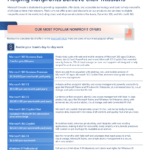
- Recap Meetings: Instead of re-watching recordings or struggling to recall action items, Copilot can instantly provide summaries of key topics and decisions. It can even draft follow-up emails with action items, ensuring accountability and saving significant time.
- Summarize Email Threads: Long, complex email chains can be overwhelming. Copilot can condense these threads into digestible summaries, allowing your team to quickly grasp the essential information without getting lost in the details.
- Draft Emails: Composing professional and timely emails is crucial for stakeholder engagement. Copilot can help draft personalized emails based on specific notes, project updates, or requests, allowing users to easily adjust the tone and length.
- Summarize Documents: Accessing critical information from lengthy reports or grant proposals is made easy. Copilot can extract key points and relevant sections from documents, enabling faster comprehension and decision-making.
- Gain Project Insights: Stay informed about ongoing projects by asking Copilot for comprehensive overviews. It can pull information from emails, chats, and files to provide a holistic understanding of a topic or project’s status.
- Spark Creativity: Generate innovative ideas for campaigns, programs, or content. Copilot can assist with brainstorming taglines, social media posts, agendas, and much more, fostering a more creative and dynamic work environment.
- Write and Revise Content: Whether starting from scratch or refining existing text, Copilot acts as a writing assistant. It can generate initial drafts or help revise content to improve clarity, conciseness, and impact.
- Research Information: When you have a vague recollection of a topic discussed, Copilot can quickly search across your organization’s data to find relevant information, saving time on manual research.
The Tangible Benefits: Beyond Just Saving Time
Implementing Microsoft 365 Copilot offers a multitude of benefits that extend beyond simple time savings. These advantages can significantly enhance the operational efficiency and strategic capabilities of your nonprofit.
Increased Productivity and Efficiency
By automating routine tasks and accelerating information retrieval, Copilot allows employees and volunteers to accomplish more in less time. This boost in efficiency translates directly into more resources available for program delivery and mission-critical activities.
Enhanced Quality of Work
Copilot’s ability to draft polished communications, refine content, and generate creative ideas helps elevate the quality of your organization’s output. This can lead to improved donor engagement, more compelling grant applications, and more effective outreach campaigns.
Fostering Innovation and Strategic Thinking
When the burden of repetitive tasks is lifted, your team has more cognitive bandwidth for strategic planning, problem-solving, and innovative thinking. Copilot empowers your staff to focus on high-level initiatives that drive long-term growth and impact.
Improved Collaboration and Communication
Features like meeting summarization and AI-assisted drafting streamline internal and external communications. This ensures everyone is on the same page, actions are clearly defined, and information flows efficiently throughout the organization.
“Employees are willing to embrace responsible AI in every aspect of their work – from administrative tasks and analytical work to creative endeavors and finding information.”
Ready to Transform Your Nonprofit’s Operations?
Microsoft 365 Copilot is not just a tool for large corporations; it’s a powerful solution for nonprofits seeking to amplify their impact. By embracing AI, your organization can overcome operational challenges, empower your team, and achieve your mission more effectively than ever before. Start exploring the potential of Copilot today and witness the transformation firsthand.
Ready to learn more about implementing AI solutions for your nonprofit? [LINK: Contact us today] to discuss how Microsoft 365 Copilot can be tailored to your organization’s unique needs and objectives.
Frequently Asked Questions
How can Microsoft 365 Copilot help a nonprofit save time?
Microsoft 365 Copilot saves nonprofits time by automating routine tasks like summarizing meetings and email threads, drafting communications, and extracting key information from documents. This frees up staff and volunteers to focus on more strategic and mission-critical activities.
What are the key benefits of using Copilot for a nonprofit organization?
Key benefits include increased productivity and efficiency, enhanced quality of work through better communication and content creation, fostering innovation by freeing up time for strategic thinking, and improving collaboration within teams.
Is Microsoft 365 Copilot suitable for smaller nonprofit organizations?
Yes, Microsoft 365 Copilot is designed to help organizations of all sizes become more efficient. Its ability to streamline tasks and boost productivity can be particularly impactful for nonprofits with limited resources, allowing them to maximize their operational capacity and extend their reach.
Download the Full PDF Guide
M365 nonprofit playbook